
Quick answer
The best way to improve your running form is not to chase one perfect cadence, one ground contact time, or one shoe category. Start by seeing how your mechanics change at different paces, in fresh versus fatigued windows, and in the shoes you actually use. Run-It's Biomechanical Signature turns Garmin and Stryd running dynamics into a pace-aware running form analysis: fresh-window metrics are grouped into pace brackets, compared across time and shoes, and summarized with runner profiles. It is an insight tool, not a diagnosis, injury prediction, or prescription.
What is running form analysis?
Running form analysis looks at how a runner moves, then checks whether those mechanics change with pace, fatigue, shoes, terrain, and training history. The useful question is not whether one cadence, foot strike, or ground contact time is perfect. The useful question is whether your own pattern repeats in comparable runs.
Run-It Academy explains how Garmin Running Dynamics and Stryd metrics become running form analysis after real runs. Biomechanical Signature compares fresh-window mechanics by pace bracket, fatigue context, shoe, and training period, so a treadmill clip or one watch field does not become the whole story.
Running form analysis with real run data
Running form analysis is the process of reading how a runner moves, then interpreting those mechanics in context. For Run-It, that means using Garmin and Stryd running dynamics from real activities, not one treadmill clip: cadence, ground contact time, vertical oscillation, stride length, pace, Loading Pattern Index, Duty Factor, Vertical Ratio, shoe, fatigue window, and training period. The goal is to compare similar runs, especially the fresh window of each run, so easy pace is not judged like threshold pace and one shoe is not compared against a completely different effort. Run-It's Biomechanical Signature turns those repeated signals into pace brackets, period comparisons, shoe filters, and runner-profile patterns. It is meant to guide follow-up questions for training and shoe choice, not diagnose injury, predict injury, or prove that one cadence or foot strike is correct.
Why running form matters, but cannot be reduced to one number
Running biomechanics can influence running economy, loading, comfort, and how a shoe feels under your body. The research is also clear that the relationship is not simple. A 2024 systematic review and meta-analysis found that individual biomechanical variables usually explain only part of the variation in running economy, and that combining variables is more useful than treating one metric as good or bad by itself.
Cadence is a good example. Increasing step rate can change several loading variables, but the evidence is not strong enough to say that every runner should force the same cadence target. Ground contact time is similar. A lower value may be normal at faster paces, while a higher value during an easy run or late in a long run may reflect context rather than a flaw.
That is why Run-It looks at a signature. Cadence, ground contact time, vertical oscillation, stride length, Loading Pattern Index, Duty Factor, Vertical Ratio, fatigue context, and shoe context can tell a stronger story together than any single metric can tell alone.
How long the foot stays on the ground. Useful only when read beside pace, cadence, fatigue, and surface.
The share of the gait cycle spent on the ground. Pro users get the exact context instead of a blurred preview.
Vertical Oscillation relative to stride length, so upward motion is understood beside forward movement.
Why fresh windows make running form analysis cleaner
Running form is noisy. Warm-up, surges, hills, GPS pace changes, late-run fatigue, and sensor inconsistencies can all distort the signal. Run-It's fresh window is built to capture a stable baseline section of the run before comparing it with other runs or later windows. It is not simply the most recent run and it is not the whole activity averaged into one number.
This matters because form drift is real. Fatigue studies show that contact time and step length can change after hard or long running. A useful tool should therefore separate a runner's cleaner baseline from late-run changes and compare those windows at similar paces whenever possible.
Why pace brackets keep easy runs from being judged like workouts
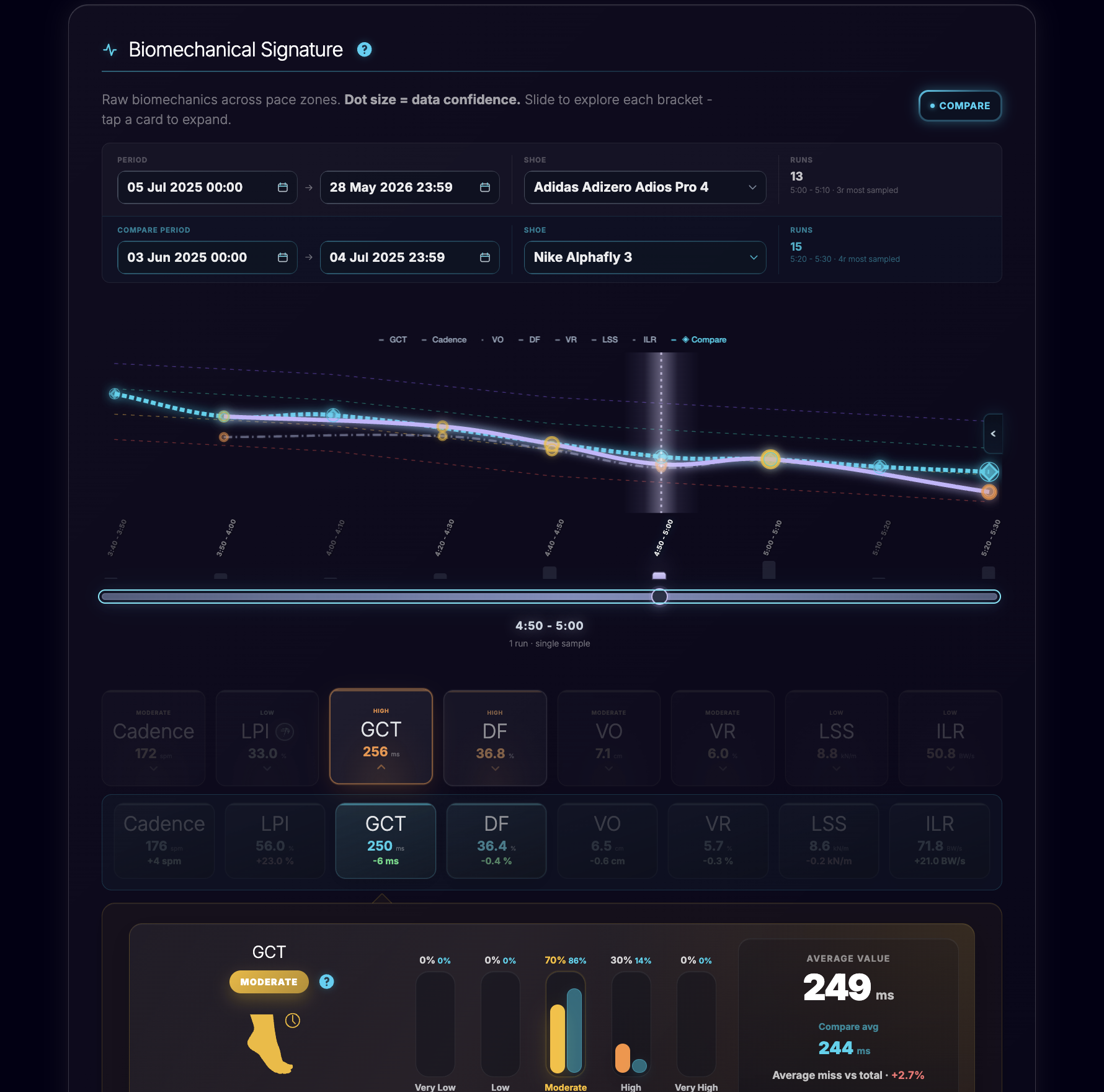
Your mechanics at 6:00 per kilometer should not be judged the same way as your mechanics at threshold pace. As speed changes, contact time, cadence, stride length, vertical movement, and Duty Factor can all shift. Run-It groups fresh-window mechanics into 10-second pace brackets so you can compare like with like.
That is the practical value of the signature. You can see where your form looks strong at faster paces, where easy running becomes inefficient, or where one pace zone consistently lags behind your normal pattern. The thresholds and categories are there to flag context, not to label you as broken.
Compare mode turns form analysis into follow-up
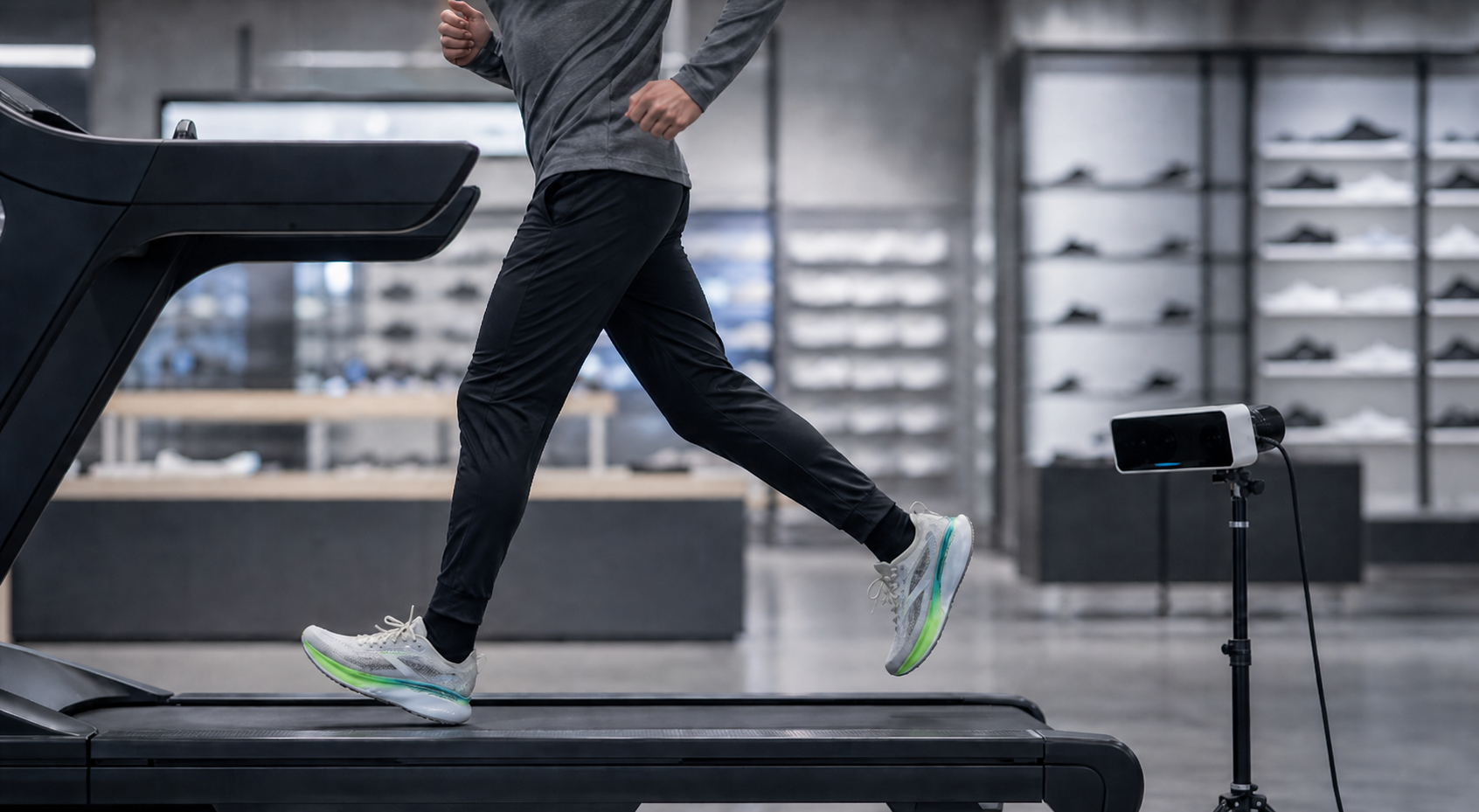
A lab or treadmill gait analysis can be useful, just as a lab VO2 max or threshold test can be useful. The limitation is follow-up. What happened after six weeks of strength work? Did your faster paces become smoother? Did your long-run mechanics start drifting later? Did a shoe change improve comfort while changing your ground contact pattern?
Run-It Compare mode lets you compare one period against another inside the same pace-bracket structure. You can look at recent training versus a previous block, a faster pace zone versus an easier one, or a shoe-filtered subset against your normal baseline.

Shoe filters show how your rotation changes the picture
Shoes can affect running economy, comfort, and mechanics, but the response is individual. A super shoe, daily trainer, or stable platform can feel helpful for one runner and awkward for another. That is why shoe comparison should happen inside similar pace and training contexts rather than through a generic ranking.
With Run-It shoe filters, you can compare owned shoes across the same kind of runs. You can ask whether one shoe lines up with a smoother fast-pace signature, whether another becomes less stable late in long runs, or whether a daily trainer changes your Vertical Ratio or contact pattern at easy pace. The answer is still an insight, not proof that the shoe fixes or causes a form issue.
Run-It vs Garmin, Stryd, and video gait analysis
Garmin and Stryd are strong data sources, but they answer a different question from Run-It. Garmin defines running dynamics fields such as cadence, vertical oscillation, ground contact time, stride length, and vertical ratio. Stryd overlaps with several running-dynamics fields and adds extra footpod-specific context through leg spring stiffness (LSS), impact loading rate (ILR), and form power. A video gait analysis or coach can inspect movement visually and may be the better choice when pain, asymmetry, or technique coaching is the priority.
Where Run-It fits
Run-It sits between raw watch metrics and one-off video analysis. It uses Garmin and Stryd running data over repeated real runs, then compares similar efforts by pace, fatigue, shoe, and training period. That makes it useful for follow-up and for getting a more representative picture of how you actually run in real life: seeing whether a form pattern repeats, whether a shoe changes the picture, or whether a training block shifts your normal signature.
Runner Type makes the signature easier to read
Biomechanical Signature also includes your runner profile distribution. Instead of only showing rows of numbers, Run-It groups runs into profile brackets such as Smooth Runner, Heavy Hitter, High Bounce Runner, Grounded Shuffler, and Elite. The useful part is not the label itself. The useful part is seeing where most of your runs land and whether your profile distribution changes over time.
If more of your comparable runs move toward a smoother or more efficient-looking profile, that may support the idea that your training, strength work, pacing, or shoe rotation is helping. If a pace zone keeps landing in the same lagging profile, that becomes a focused place to investigate.

How to use Biomechanical Signature without overreading it
Compare similar pace brackets. Do not judge easy-run contact time against interval pace.
Look for repeated patterns. A single outlier can be terrain, fatigue, sensor noise, or pacing.
Use shoes as context. Compare the same runner, similar pace, and similar period before making shoe conclusions.
Treat thresholds as flags. High ground contact time, high Vertical Ratio, or an unusual profile bracket can point to something worth exploring, not a diagnosis.
What to do after running form analysis finds a pattern
If the same pattern appears across similar pace brackets, start with one conservative follow-up. If one value repeatedly sits below your usual range or below the comparison average for similar runs, treat it as a useful focus point for investigation, not as advice to force that number higher. Check whether the pattern happens in one shoe, one training block, one route type, or late in longer runs. Then decide whether the next experiment is pacing, strength work, shoe rotation, recovery, or a coach-led technique cue.
Do not change cadence, foot strike, shoes, and training load all at once. Running form analysis is most useful when it narrows the question. If pain, recurring symptoms, or a medical concern is part of the pattern, use a qualified clinician or coach beside the data instead of treating the dashboard as a diagnosis.
Run-It methodology note
Biomechanical Signature is built from product metrics already present in Run-It profile tooling. It uses fresh-window mechanics grouped into pace brackets and supports period and shoe comparison where enough data is available. Basic users get the core signature. Pro users unlock deeper context such as exact Duty Factor and Vertical Ratio values, trends, and classifications.
This article is a product and metric explainer, not a first-party population study. Run-It does not diagnose injuries, prescribe treatment, or guarantee faster performance. If you have pain, recurring symptoms, or a medical concern, use a qualified clinician or coach beside the data.
FAQ
How can I improve my running form?
Start by understanding how your mechanics change across pace, fatigue, and shoes. Then look for repeated patterns rather than forcing a universal cadence, contact time, or stride style.
Is ground contact time always better when it is lower?
No. Ground contact time depends on pace, cadence, fatigue, surface, and runner style. It is more useful as a pace-aware trend than as one isolated target.
What is Duty Factor in running?
Duty Factor is the percentage of the gait cycle spent on the ground. It adds context to ground contact time because it connects contact time with rhythm and flight time.
Why compare running form by pace?
Running mechanics change with speed. Pace brackets stop normal speed-related changes from being misread as weaknesses.
Can shoes change running form?
Shoes can influence comfort, economy, and mechanics, but response varies between runners. Run-It uses shoe filters to compare context, not to claim a shoe fixes form.
Can Garmin analyze running form?
Garmin can record running dynamics such as cadence, ground contact time, vertical oscillation, stride length, and vertical ratio when the device and sensor setup support them. Run-It uses those fields in context instead of treating one Garmin metric as a form verdict.
Can Stryd analyze running form?
Stryd overlaps with several running-dynamics fields and adds extra footpod-specific context through leg spring stiffness (LSS), impact loading rate (ILR), and form power. Run-It can use that Stryd context to compare patterns across real runs, shoes, and training periods.
Is wearable running form analysis better than video gait analysis?
They answer different questions. Wearable data is useful for repeated real-run comparisons over time. Video gait analysis, a coach, or a clinician can be better when you need visual technique feedback, pain assessment, or movement screening.
What running biomechanics metrics should I track first?
Start with cadence, ground contact time, vertical oscillation, stride length, pace, and shoe context. More advanced metrics such as Duty Factor, Vertical Ratio, Loading Pattern Index, and impact loading rate are more useful after you compare similar paces.
How often should I compare running form data?
A light daily check can help you notice obvious outliers, such as a value that jumps or drops from your usual range in a similar pace bracket, a shoe-specific change, or a pattern that appears late in runs. If daily checking feels too noisy or too much, a weekly review is often enough to see whether the pattern repeats.
Sources
- Garmin Running Dynamics definitions for cadence, ground contact time, vertical oscillation, stride length, and vertical ratio.
- Stryd Metrics help article for ground contact time, Duty Factor, Vertical Oscillation, and related running metrics.
- Van Hooren et al. systematic review and meta-analysis on running biomechanics and running economy.
- Anderson et al. systematic review and meta-analysis on changing running step rate.
- Adams et al. validation study of commercial watch running dynamics for cadence, vertical oscillation, and ground contact time.
- Adams et al. study on altering cadence or vertical oscillation during running.
- Trowell et al. systematic review and meta-analysis on running-induced fatigue and overground biomechanics.
- Xu et al. systematic review and meta-analysis on footwear and running economy.